Paint color visualizer
See a wall color beside your actual furniture and floor before repainting. Upload one room photo, choose a color family, and compare the result with the original.
A visual comparison, not a measured plan or an exact color match.
See the before-and-after example ↓Drag and drop your room photo here, or
JPG, PNG, or WEBP, up to 10MBGoogle sign-in before processing · Photo analysis is free.
A watermarked Preview is 1 credit. 3 credits on sign-up; clean Standard (2) and HD (3) require paid access.
One choice, shown on the same room
Actual preview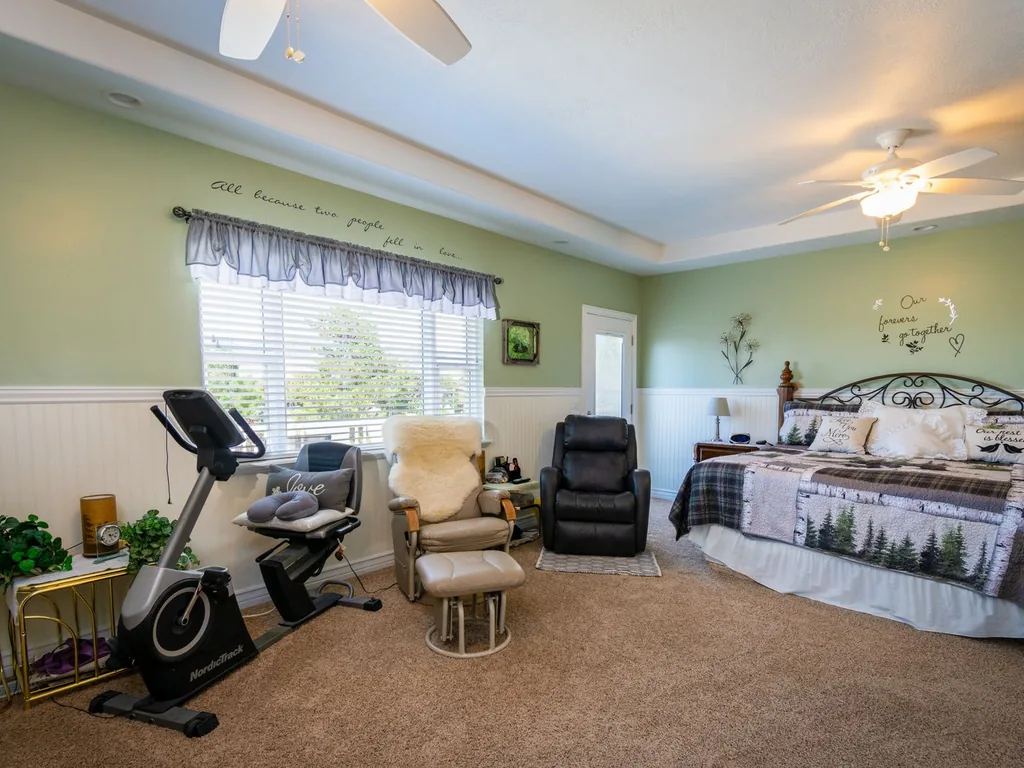
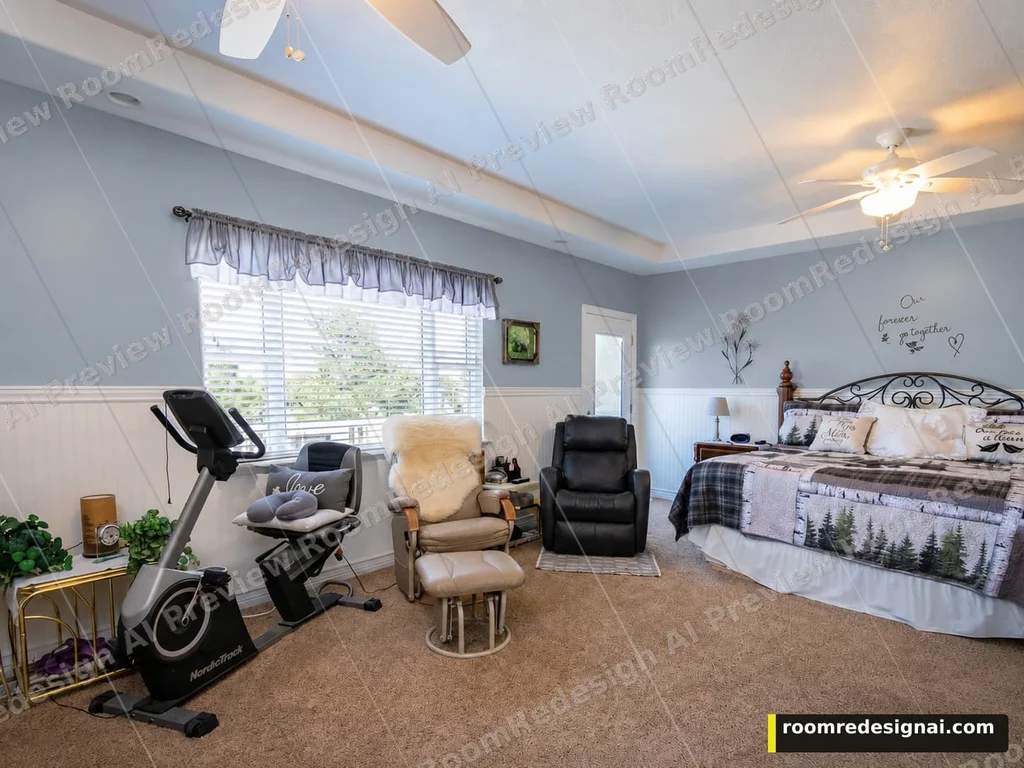
The wall color changes; the large furniture stays in place in this example. Small wall lettering and fabric details drifted, so check those against the original.
Actual tool output · Watermarked Preview · Generated October 5, 2026
Choose a fixed finish, then compare
Upload a clear photo with the surface visible. The free analysis may suggest options; you can also choose from the full list. These swatches are approximate selection aids, not generated results.
Start each alternative from Original photo for a fair comparison. Choose This version only when you want to add another change to a result. The workspace keeps the original and recent versions; it is not an unlimited edit history.
There is no free-text or painted-region selection. Check the result for changes outside your chosen surface before making a purchase.
Use the preview to narrow a real decision
Read the color beside what you already own
Keep your sofa, flooring and curtains in the photo. Compare a wall color against those existing tones instead of judging an isolated swatch. A muted blue can read cool beside gray carpet and different again beside warm oak.
Compare daylight and evening light in the real room
The preview works from the lighting in your photo. It cannot predict every lamp or time of day, and the color on your screen is approximate. Shortlist a color family, then paint a small sample and look at it under your own light.
Whole visible walls, rather than a painted mask
This edit asks to recolor visible wall surfaces. You cannot select a single accent wall, trace a region, match a paint-brand code or calculate the paint quantity. Trim, furniture and flooring are asked to stay; check that they did in your result.
AI can miss a visible surface in its recommendations. Use the matching category in the tool if the surface is clearly in your photo; do not treat a suggestion as a measurement or a promise.
Questions before you upload
Can I use a photo of my own room?
Yes. Upload a clear JPG, PNG or WEBP up to 10MB, then sign in with Google for the free photo analysis. Choose a fixed wall color and confirm the preview cost before generating.
Is this an exact paint-color match?
No. Warm white, greige, sage green, dusty blue, navy and charcoal are generic color families. The screen, input lighting and AI rendering can shift them. Use a physical paint sample before buying.
Can I keep the furniture while changing the walls?
The wall edit asks to keep furniture, floor, trim and the camera angle. Large pieces stayed in place in our shown example, but small lettering and textures shifted. Compare your result to the original rather than assuming every detail is identical.
How do I compare a second wall color?
Start each wall-color alternative from Original photo. Use This version when adding a different surface change, such as a floor finish, to a wall result you already like.
Try this decision on your room
Upload and analysis are free after Google sign-in. You confirm the quality and credit cost before generation.