Cabinet color visualizer
Before repainting your cabinet fronts, see a different finish beside the counter and backsplash you already have. Keep the decision to one visible surface.
A visual comparison, not a measured plan or an exact color match.
See the before-and-after example ↓Drag and drop your room photo here, or
JPG, PNG, or WEBP, up to 10MBGoogle sign-in before processing · Photo analysis is free.
A watermarked Preview is 1 credit. 3 credits on sign-up; clean Standard (2) and HD (3) require paid access.
One choice, shown on the same room
AI example room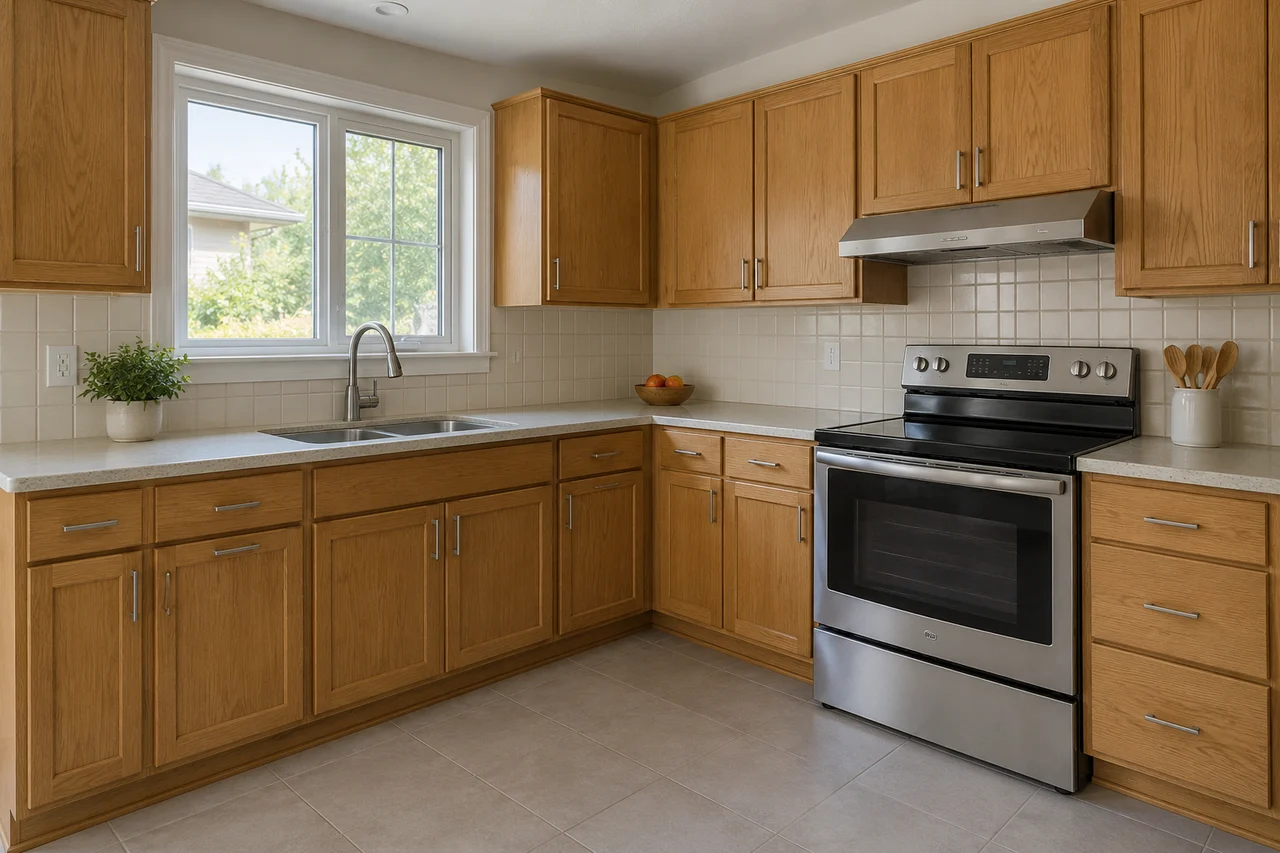
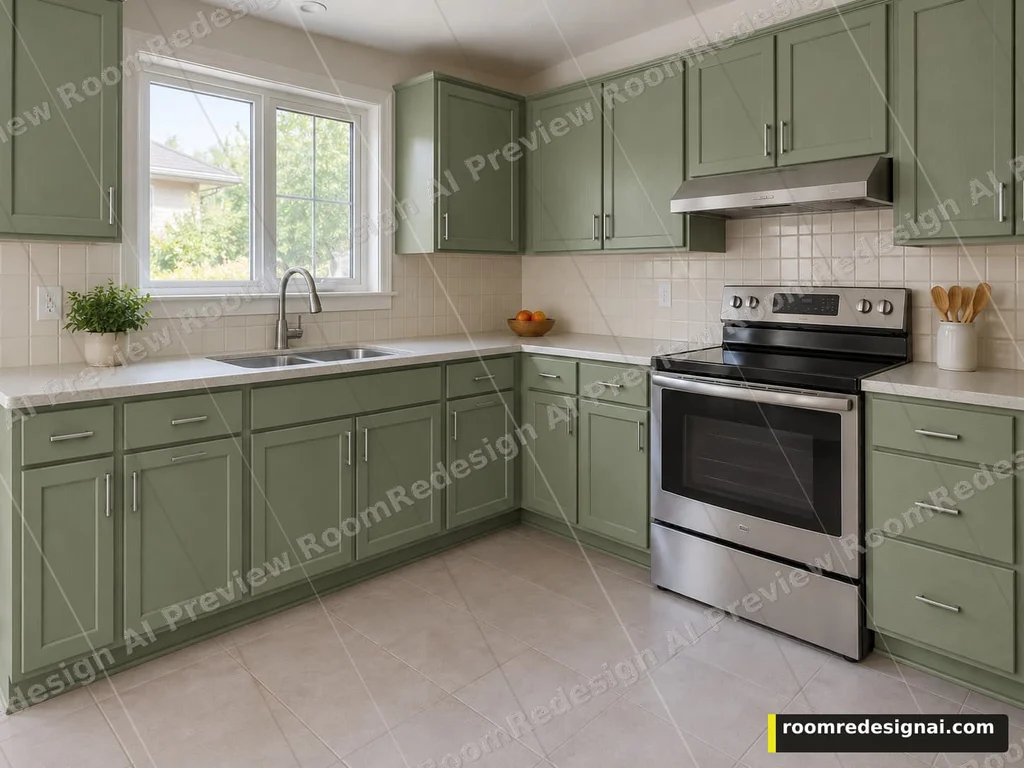
The source kitchen is an AI-created illustration, not a customer photo. The after image is an actual cabinet-color edit from this tool; its framing is taller than the source, so it is not an exact overlay. Colors are approximate; check a physical sample before repainting.
Actual tool output · Watermarked Preview · Generated October 5, 2026 · AI example room
Choose a fixed finish, then compare
Upload a clear photo with the surface visible. The free analysis may suggest options; you can also choose from the full list. These swatches are approximate selection aids, not generated results.
Start each alternative from Original photo for a fair comparison. Choose This version only when you want to add another change to a result. The workspace keeps the original and recent versions; it is not an unlimited edit history.
There is no free-text or painted-region selection. Check the result for changes outside your chosen surface before making a purchase.
Use the preview to narrow a real decision
Compare cabinet fronts against the fixed surfaces
Include the countertop, backsplash, appliances and floor in the photo. The cabinet edit asks to change the front finish while keeping the cabinet layout and those surrounding surfaces. Judge the whole combination before choosing a paint or wood finish.
Use a finish family rather than a product code
The options are painted white, sage green, navy, matte black and natural oak. They are visual directions, not paint-brand matches. The natural oak option illustrates a finish; it does not prove your existing doors can be refinished into that wood.
Check the real cabinet before spending
The image cannot assess door material, wear, adhesion, preparation or installation work. Compare a physical finish sample with your countertop and confirm the real preparation with the person doing the work. The preview does not price or specify that job.
AI can miss a visible surface in its recommendations. Use the matching category in the tool if the surface is clearly in your photo; do not treat a suggestion as a measurement or a promise.
Questions before you upload
Can this change the cabinet layout or replace my kitchen?
No. This option changes the visible cabinet-front finish. It asks to keep cabinet sizes and placement, the counter, backsplash, sink and appliances. It does not plan a new layout or provide construction drawings.
Why is the kitchen example marked AI?
The source kitchen was created as an AI illustration. The after image is an actual cabinet-color preview generated by RoomRedesign AI using that source. It is not a customer renovation or proof of an exact paint match.
What if the free analysis does not suggest cabinet colors?
Recommendations can miss a visible surface. Open the Cabinets category and choose a listed finish if the cabinet fronts are clearly visible in your photo. Missing recommendations do not mean the tool measured your cabinet or determined that a finish is physically possible.
Can I compare two cabinet finishes fairly?
Yes. Start both from Original photo, rather than stacking the second finish on the first. Check the counter, backsplash, hardware and appliances against the original in each result.
Try this decision on your room
Upload and analysis are free after Google sign-in. You confirm the quality and credit cost before generation.