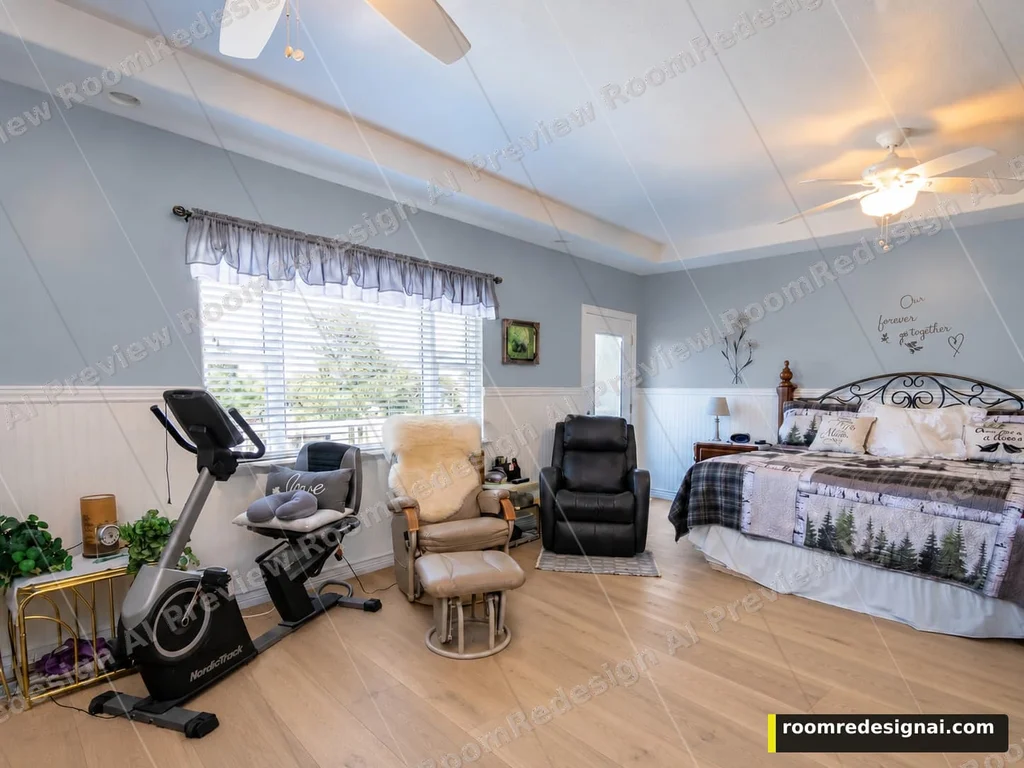
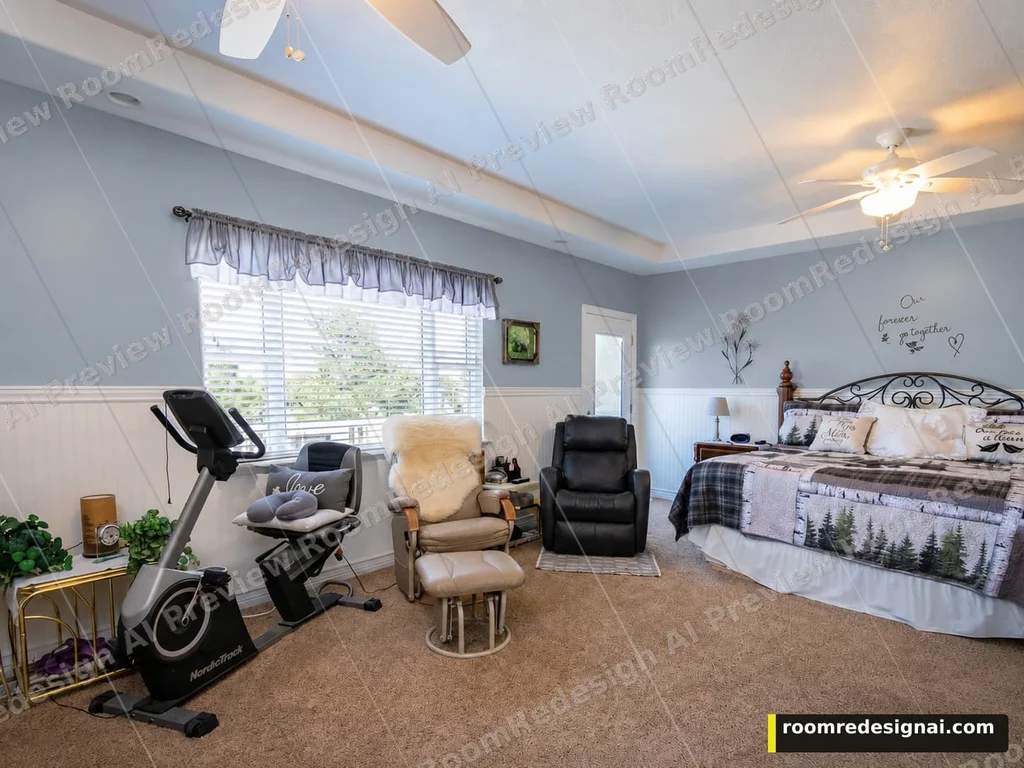
Actual watermarked preview of dusty blue walls in the same bedroom, with the bed and exercise bike in place

Room visualizer Change one thing.

Try a wall color, cabinet finish, floor or textile palette on your photo. Keep the original beside the result before you spend.

Upload Your Room

Drag and drop your room photo here, or

JPG, PNG, or WEBP, up to 10MB
A watermarked preview costs 1 credit. Sign-up includes 3 preview credits. Purchase unlocks clean output.

Visual directions, not construction plans. Measure twice before you buy anything.

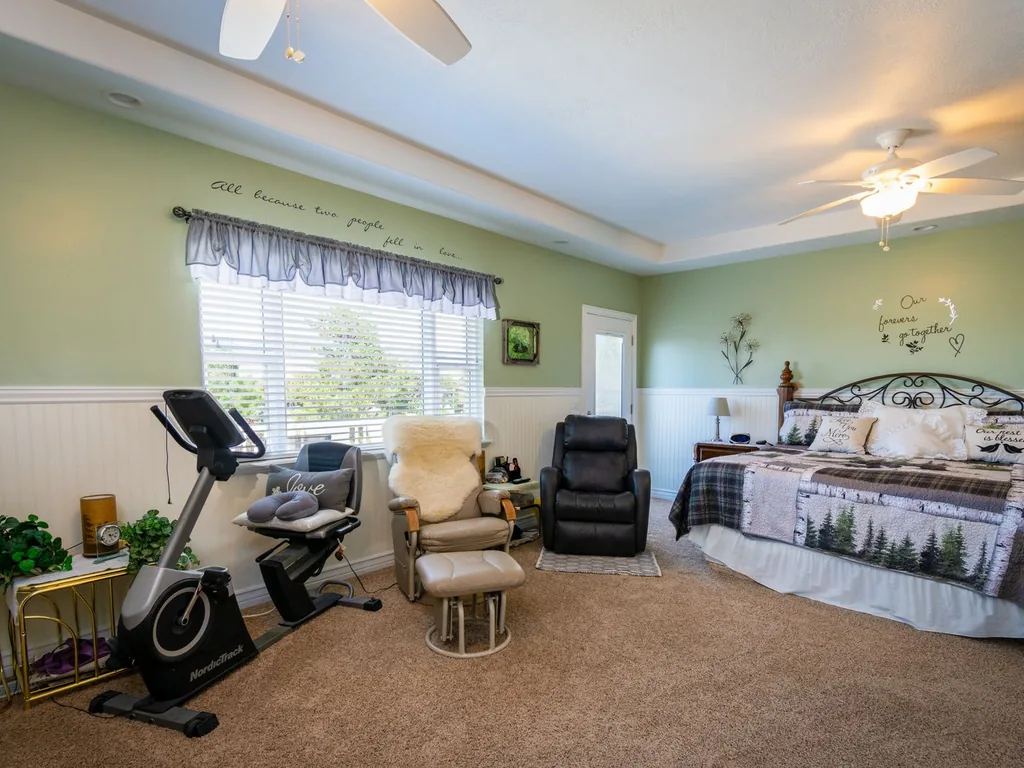
Before Sample bedroom with gray-green walls, a bed and exercise bike before a wall-color edit
Before → Dusty blue · Preview
The Evidence

One room. One wall-color decision.

Before Sample bedroom with gray-green walls, a bed and exercise bike before a wall-color edit
Before
After Actual watermarked preview of dusty blue walls in the same bedroom, with the bed and exercise bike in place
After · Dusty blue walls · Preview

Actual watermarked tool preview. The large furniture stays in place in this example; small lettering and fabric details shifted. See what to check.

How it works

01 — 03
01

Upload your room

Show the surface you want to change and the furniture around it. A clear photo in natural light with a standard lens works best.

Sample bedroom with gray-green walls, a bed and exercise bike before a wall-color edit
02

Choose one surface

Free photo analysis may suggest options. Pick a fixed wall, cabinet, floor or textile choice; confirm the quality and price before generating.

Actual watermarked preview of dusty blue walls in the same bedroom, with the bed and exercise bike in place
03

Compare and decide

Compare another option from the same original, or use This version to add a second change. Check the picture before buying.

Actual watermarked preview of light oak flooring added to the dusty blue bedroom version

What are you deciding?

Four targeted changes

Dusty blue walls

Sample bedroom with gray-green walls, a bed and exercise bike before a wall-color edit
Original photo
Actual watermarked preview of dusty blue walls in the same bedroom, with the bed and exercise bike in place
After · Dusty blue walls

The wall color changes; the large furniture stays in place in this example. Small wall lettering and fabric details drifted, so check those against the original.

Actual tool output · Watermarked Preview · Generated October 5, 2026
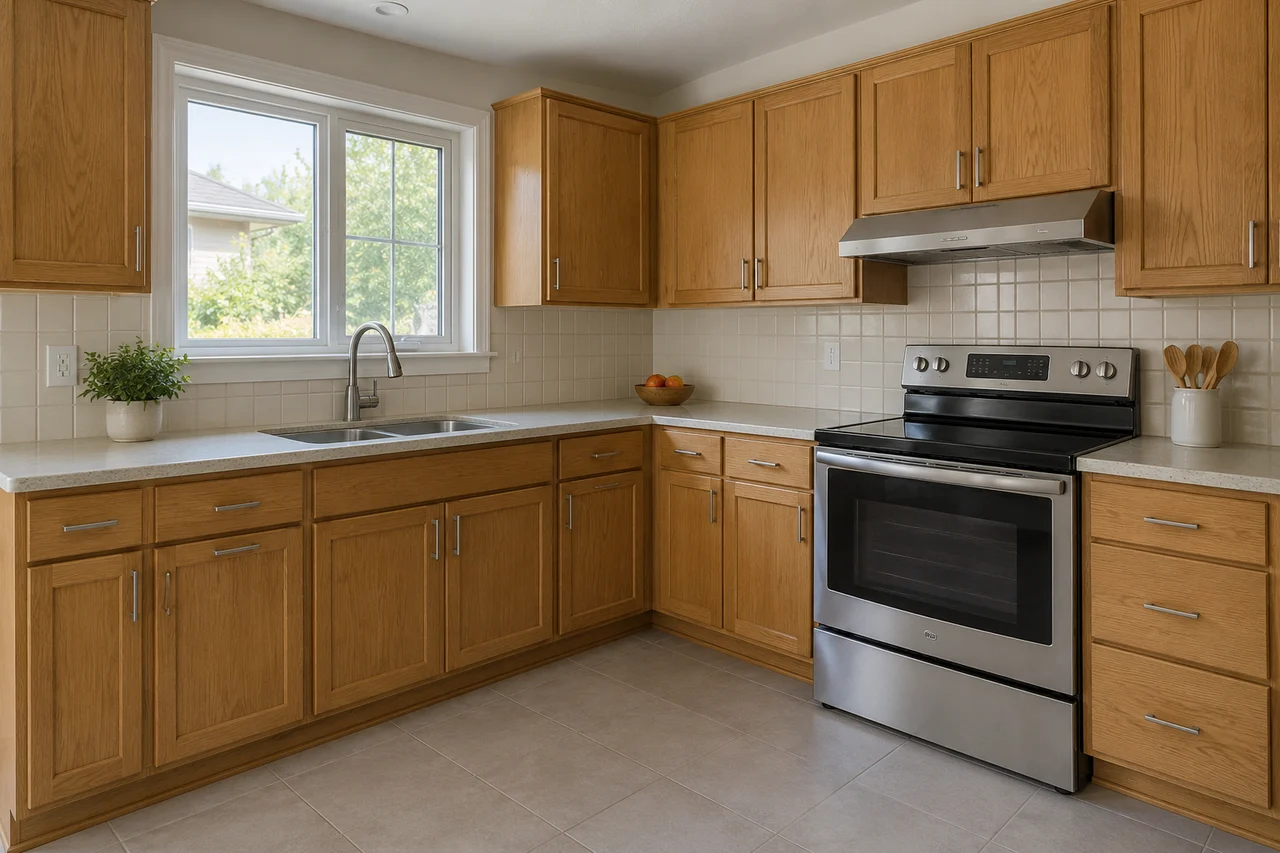
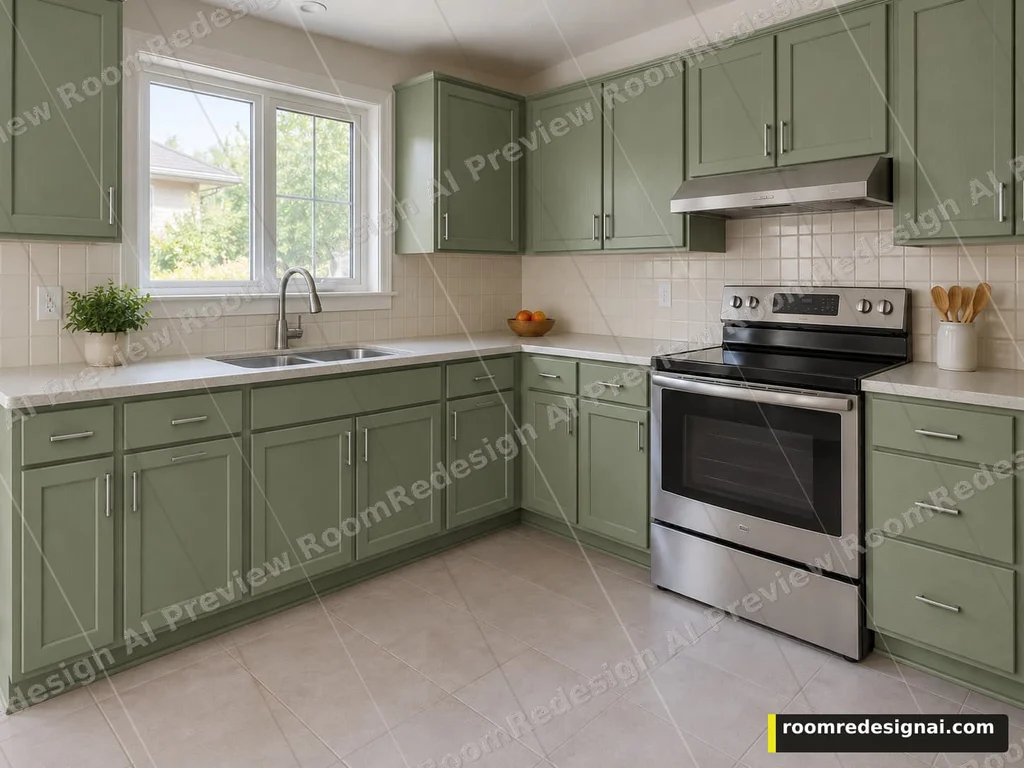
Sage green cabinet fronts

AI-created example kitchen with oak cabinet fronts, a sink, tiled backsplash and stainless steel stove
AI source illustration
Actual RoomRedesign AI preview applying sage green to cabinet fronts in the AI-created example kitchen
After · Sage green cabinet fronts

The source kitchen is an AI-created illustration, not a customer photo. The after image is an actual cabinet-color edit from this tool; its framing is taller than the source, so it is not an exact overlay. Colors are approximate; check a physical sample before repainting.

Actual tool output · Watermarked Preview · Generated October 5, 2026 · AI example room
Light oak over the wall-color version

Dusty blue bedroom version with its original carpet before the floor edit
Previous wall-color version
Actual watermarked preview of light oak flooring added to the dusty blue bedroom version
After · Light oak over the wall-color version

This comparison starts from the Dusty blue wall version and adds Light oak flooring. For a fresh floor decision, start from your original photo. Text, edges and small textures can shift.

Actual tool output · Watermarked Preview · Generated October 5, 2026
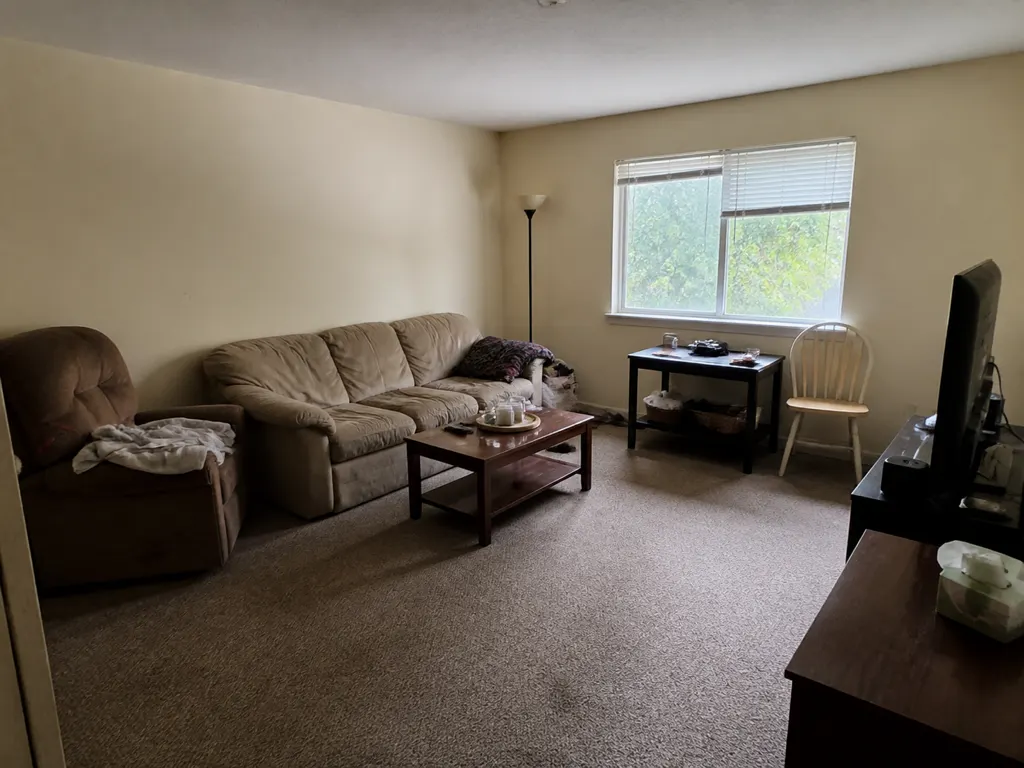
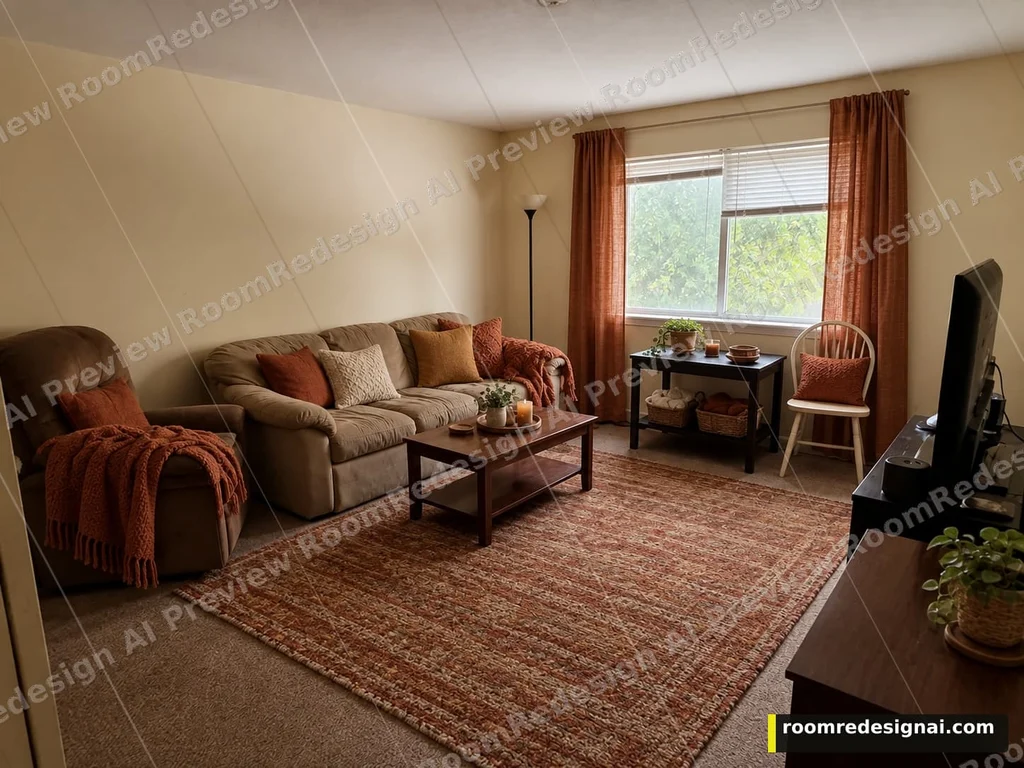
Warm earthy textiles

Published sample living room with a brown sofa, recliner and carpet before a soft-furnishing edit
Original photo
Actual watermarked preview adding earthy cushions, throws, curtains and a rug around the existing living-room furniture
After · Warm earthy textiles

This option refreshes textiles and small decor while asking to keep the existing furniture. The preview adds curtains, cushions, throws and a rug; it does not prove exact fabric color, fit or shopping availability.

Actual tool output · Watermarked Preview · Generated October 5, 2026
Pricing

Simple credits

A watermarked preview costs 1 credit. Clean Standard costs 2 credits after paid access is unlocked. Buy a pack once — it doesn't expire — or subscribe for a monthly refill.

Free

3 preview credits on sign-up — up to 3 watermarked directions. Clean Standard and HD output unlock after a paid pack or subscription. No credit card required.

Start free · 3 credits →
Starter
— / 30 credits
—
Get 30 credits · —
Popular
— / 100 credits
—
Get 100 credits · —
Pro
— / 300 credits
—
Get 300 credits · —

Or subscribe & save

Monthly
— / mo · 100 credits
Credits refill every month. Cancel anytime.
Subscribe · —/mo
Monthly Max
— / mo · 400 credits
For heavier, ongoing use.
Subscribe · —/mo

Credits from a pack never expire. Subscriptions renew monthly until you cancel.

See all plans and secure checkout →

Frequently asked questions

FAQ
Is it free to try?

Yes. You get 3 free credits when you sign up, no card required — enough for up to 3 watermarked preview directions at 1 credit each. Clean Standard and HD output unlock after a paid pack or subscription.

What's the difference between a watermarked preview and clean output?

A preview costs 1 credit and carries a watermark — it's what your free sign-up credits create. A clean Standard file costs 2 credits and an HD file costs 3 credits, and both require a paid credits pack or an active subscription to unlock.

What kind of photo should I upload?

A phone photo taken in natural light, with as much of the room in frame as you can manage. JPG, PNG, or WEBP up to 10MB — no staging, editing, or professional camera required.

Is the result a construction plan I can build from?

No. Visual directions, not construction plans. Measure twice before you buy anything. Results are visual directions, not measured drawings — no dimensions are taken from your photo or from any furniture shown, so measure your own space before you buy anything.

Do credits expire?

No. Free sign-up credits and any credits pack you buy stay on your account with no expiration date. Subscription credits refill each billing cycle under that plan's terms, but a one-time pack never expires.

What happens if a generation fails?

If a generation fails outright, the credit it would have cost is refunded automatically — you do not need to contact support or ask for it back.

Do I need an account, and how do I sign in?

Yes — sign-in is Google only (no email or password option), before you upload. You can try the sample walkthrough on the tool page without signing in at all. Uploading a photo and the free photo-quality check never spend a credit; credits are only spent when you confirm a generation.

Can I cancel a subscription?

Yes, anytime. Cancelling stops future billing; credits already refilled to your account for the current cycle stay usable until they run out.

Ready When You Are

See it before you spend.

Upload one room photo. Test one color, finish or textile decision before buying materials or decor.

Upload your room photo

A watermarked preview costs 1 credit. Sign-up includes 3 preview credits. Purchase unlocks clean output.